For communities & activity directors
Bring patient technology help to your residents.
Porchswing runs standing drop-in help and on-site classes for senior living communities, HOAs, libraries, and faith communities across Northern California and College Station, Texas. Easy to schedule, easy to budget, and genuinely popular with residents.
Two ways we work with communities
A standing Café for the everyday questions, and classes for the subjects worth teaching properly. Most communities end up doing both — every Café plan already includes a free class each month.
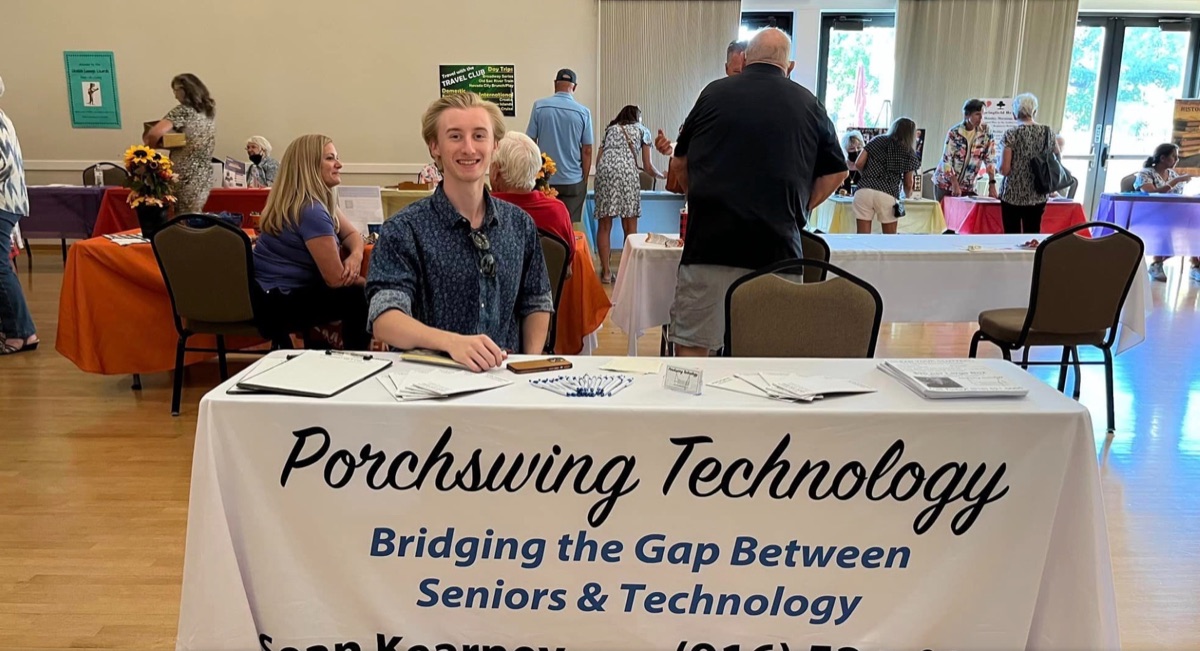
Tech Café
Plans from $375/month
A standing appointment. Our technician sets up in your common room for 3 hours and residents drop in with whatever's been bugging them — no booking, no agenda, one at a time. It's the everyday stuff: a phone that won't ring, a photo they can't find, an email that looks wrong.
- 3-hour drop-in sessions, on a day you pick
- The same technician every visit, plus a named backup
- One free 1-hour class each month, from the catalog
- A written monthly report, including scams caught
- Flyers and a calendar listing, ready to post
- Starts with 4 free sessions over 60 days
Best for: Assisted and independent living, where residents need help little and often and your staff are absorbing it.
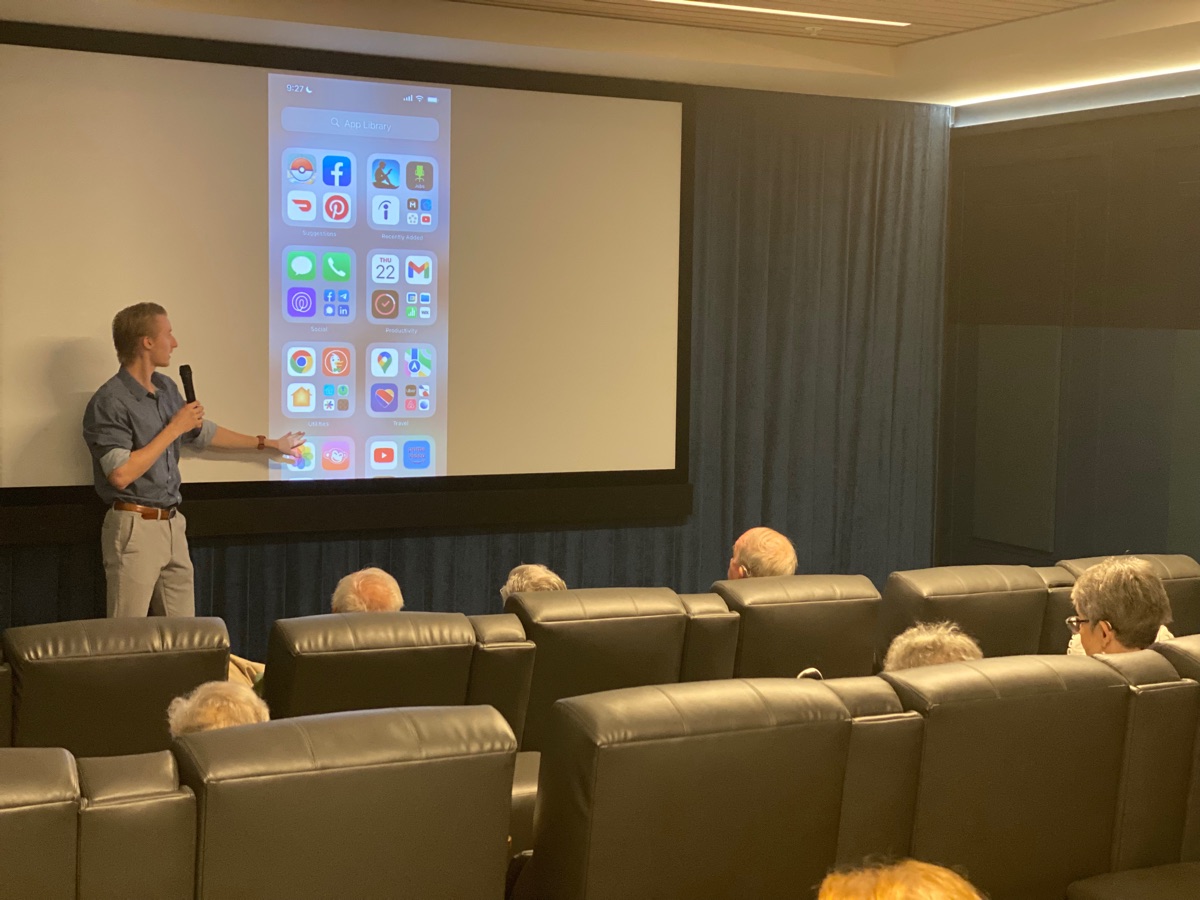
Classes & seminars
From $135 per class
A taught session on one subject, for a room. An hour plus as long as the questions keep coming, with large-print handouts residents keep. 18 topics across iPhone, iPad, Android, computers, online safety, and AI — including the 90-minute Scam Prevention seminar families ask for by name.
- 18 topics in 5 categories, or a custom one we build
- 1 hour plus questions at $135; scam seminar $150
- Large-print handouts residents take away with them
- An extra technician for groups over 10, so nobody is left behind
- Add an hour of Café help straight after the class
- We adapt to whatever room and screen you have
Best for: An activity calendar that needs filling, or a subject your residents keep asking about that deserves teaching properly.
Asked for most often:
- iPhone Basics (iOS 26) — Part 1
- iPhone Basics (iOS 26) — Part 2
- Texting Basics
- Online Scam Prevention
- All About Apps
- All About AI
For your community, not just your residents
Tech support is already happening at your community.
It’s just being done by whoever’s closest, between other jobs, without the training or the insurance for it. The Café doesn’t add something to your plate — it takes something off it.
See how the Café worksOr start with 4 free sessions over 60 days and decide afterwards.
Your staff get their afternoons back
The same handful of questions, every week, from a dozen different residents — landing on whoever is nearest.
Nobody untrained holds a bank app
Passwords, bank alerts, suspicious emails. We're trained and insured for it, and we never store a password.
Fewer calls from families
“My mother can't video call me” stops being your front desk's problem the moment the tablet works.
Something real to say on a tour
“We help when we can” isn't an answer. “A technician is here every other Tuesday” is.
Move-in week goes better
TV, Wi-Fi, phone, and email working before the boxes are unpacked — the week families judge you on.
Proof at budget time
A monthly report on what we fixed and what scams we caught, so the line item defends itself.
We’ve done this a while
- seniors helped
2,500+
seniors helped
- of doing only this
9 yrs
of doing only this
- classes to choose from
18
classes to choose from
- Licensed & insured
- Every technician background-checked
- Serving seniors since 2017
- No travel fee in our service areas
Free for every senior
The S.T.A.N.D. Program
Digital skills and scam prevention education from the Infinite Insight Foundation, a 501(c)(3) nonprofit co-founded by Sean Kearney. Open to all your residents — whether or not you ever choose a plan with us.
Ask about S.T.A.N.D.What a session actually involves
We bring
- A background-checked technician who arrives early to set up
- Everything needed to present — we adapt to whatever room you have
- Large-print handouts residents can keep and refer back to
- A sign-up sheet and a flyer you can post ahead of time
- Patience with every question, asked as many times as needed
You provide
- A room with seating, and a screen or TV if you have one
- A little notice to residents — we'll give you the flyer text
- Someone to point us to the right door when we arrive
We don’t sell to your residents.
We’re there to teach, not to pitch. Nobody gets a sales talk, nobody gets signed up for anything, and nobody gets pressured. If a resident wants to hire us afterward, that’s their call to make — and plenty never do. Your residents’ trust is worth more to us than a booking.
Need paperwork before we can be scheduled? A certificate of insurance and a W-9 are available on request — just ask and we’ll send them over.
Need something to show your executive director, or to bring to a staff meeting?
Get the printable one-pagerLet’s find a date
Request information
Tell us a little about your community and we’ll follow up with availability and a quote — usually the same day. Prefer the phone? Call (916) 521-0065.
Give your residents one less thing to feel stuck on.
One class is an easy place to start — we'll handle the rest.